Physical Address
304 North Cardinal St.
Dorchester Center, MA 02124
Physical Address
304 North Cardinal St.
Dorchester Center, MA 02124

In most recent years, Microsoft worked towards a closer integration between it’s Enterprise Resource Management (“ERP”) solutions and Dynamics 365 Sales and Field Service (with Dataverse underneath).
Business Central announcement in April 2024: https://www.microsoft.com/en-us/dynamics-365/blog/it-professional/2024/04/15/seamless-integration-seamless-operations-introducing-native-integration-between-dynamics-365-field-service-and-business-central/
Dynamics 365 Finance & Supply Chain management TechTalk in July 2024: https://community.dynamics.com/blogs/post/?postid=ad265835-d353-ef11-a317-6045bdd98efa
Companies used to rely on entirely custom integrations between Dynamics 365 Field Service and it’s ERP brothers (maybe sisters? Because ERPs tend to be a bit sassy IMO… – oops). Anno 2025, Microsoft offers a variety of easy integration options. I’m happy present them in a neat little overview blog post here (note: the goal is to provide an overview, not a technical how-to deep-dive on each. Maybe separate posts on this later!)
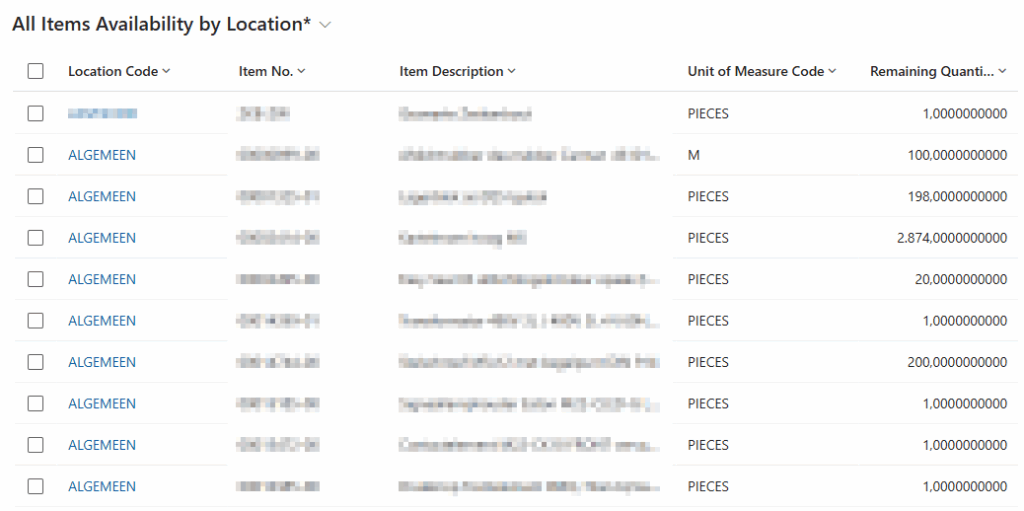
1. Integration with Business Central using virtual tables:
Synchronize Field Service Warehouses with Business Central locations using an “Items Availability by Location” virtual table.
In below screenshot, a service dispatcher is able to see Business Central inventory data from his/her Field Service application – with real-time speed.
2. Integration with Dynamics 365 Finance & Operations using dual-write technology:
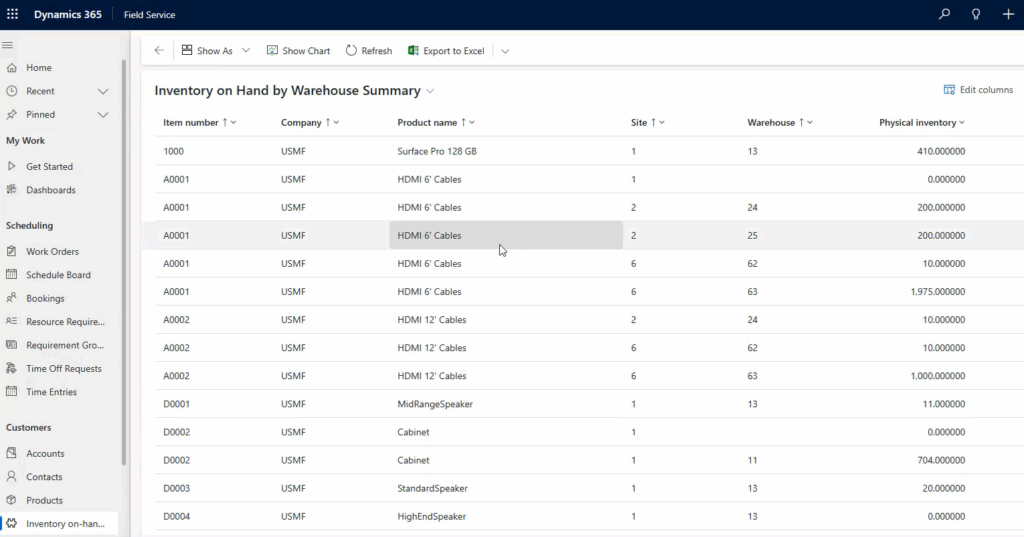
When enabling the Field Service dual-write solution, we suppress the field service native inventory functionality and F&O takes over. F&O inventory will directly be visible from Field Service using the “Inventory on Hand by Warehouse” virtual table.
3. Integration with Dynamics 365 Finance & Operations using Copilot Studio
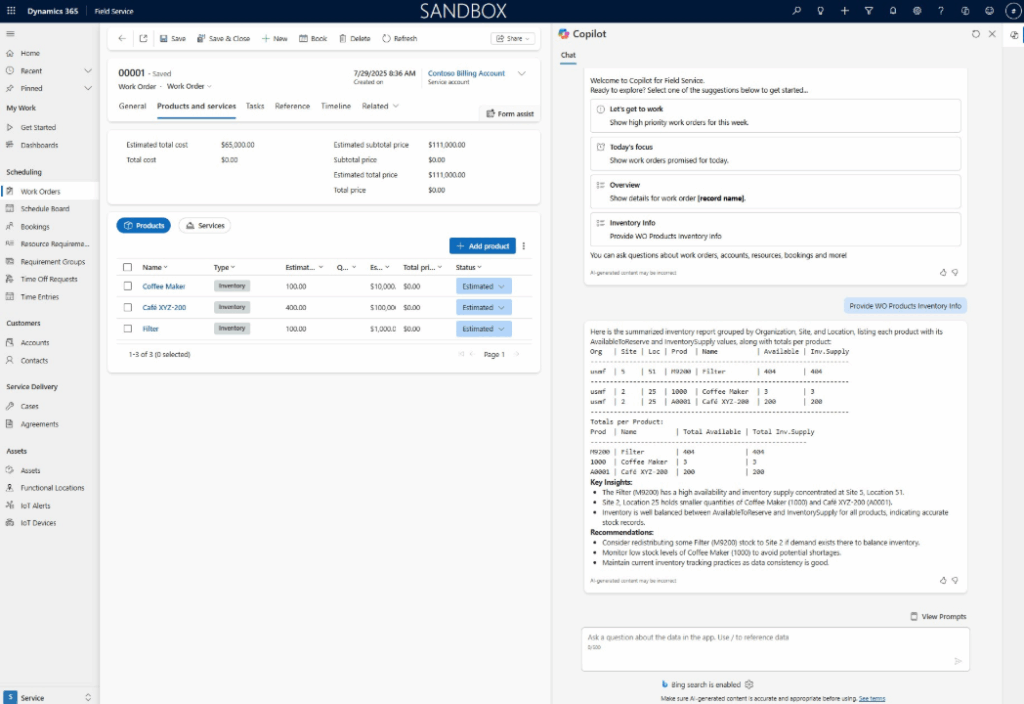
Spoiled by Microsoft, we have a Dynamics 365 ERP MCP server (MCP = Model Context Protocol by Anthropic). This MCP allows you to quickly add Dynamics 365 Supply Chain Management knowledge (i.e. data) and tools to an agent in Copilot Studio.
One of the available tools in the MCP server is “Find Inventory”, which finds available inventory for a given item number. By extending Microsoft Copilot chat within the field service model driven app, you’ll be able to ask for inventory information using natural language.
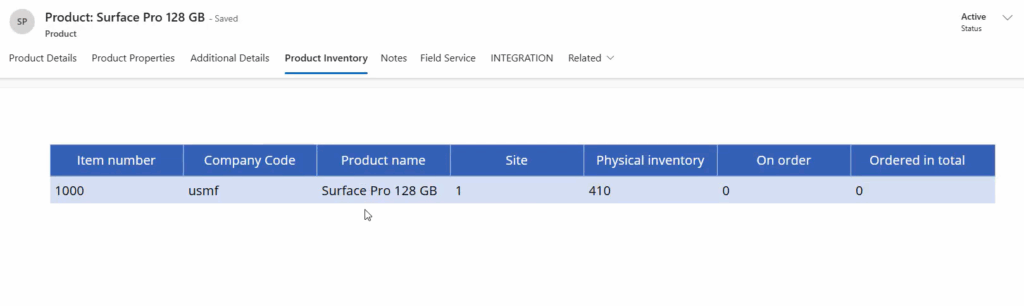
4. Integration with ERP using an embedded Canvas app:
A little less conventional: create a simple canvas app, connected your inventory database, that queries based on the selected product record in Dynamics 365 Field Service. Create a new tab on the product form layout and embed the canvas app.